コマンドラインからマクロの実行
2021-08-27 00:00:00
コマンドラインからVBAのサブプロシージャを呼び出す方法を紹介します。もっといい方法もあるかもしれませんが、VBスクリプトを使う方法が一番シンプルかなと思います。重要な業務で使うのはちょっと危険な感じもしますが、ちょっとした改善には使えそうでしょうか。
runMacro.vbs (テキストエディタで作成する、プロシージャの引数の数に合わせて修正が必要です)
Option Explicit

Dim excelApp
Dim filePath
Dim procName
Dim arg

If Wscript.Arguments.Count < 3 Then
  WScript.Echo "引数が足りません。"
  Wscript.Quit
End If

filePath = Wscript.Arguments.Item(0)
procName =  Wscript.Arguments.Item(1)
arg = Wscript.Arguments.Item(2)

Set excelApp = CreateObject("Excel.Application")
excelApp.Visible = True

On Error Resume Next

excelApp.Workbooks.Open filePath
If Err.Number <> 0 Then
  WScript.Echo "ファイルを開けませんでした。"
  excelApp.Quit
  Wscript.Quit
End If

excelApp.Run procName, CStr(arg)
If Err.Number <> 0 Then
  WScript.Echo "プロシージャの実行に失敗しました。"
  excelApp.Quit
  Wscript.Quit
End If

excelApp.Quit
test.xlsm (新規ワークブックを作成して下のサブプロシージャを追加する。)
Sub ShowMessage(msg As String)
    MsgBox msg
End Sub
上の2つのファイルを準備して、下のコマンドを実行します。
cscript runMacro.vbs test.xlsm ShowMessage "good morning"
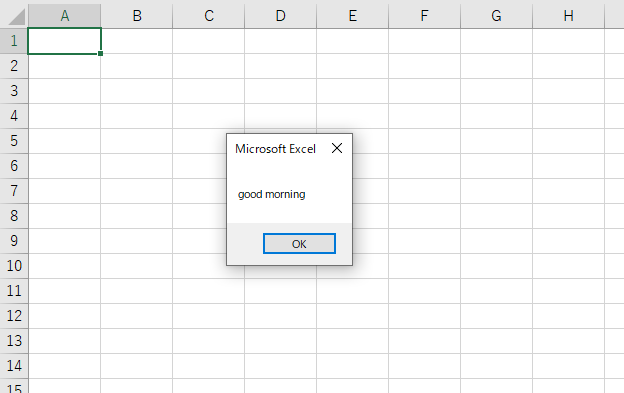
下のようにサブプロシージャが実行されます。